Big News for Pensioners: Biometric Verification Now Possible from Home
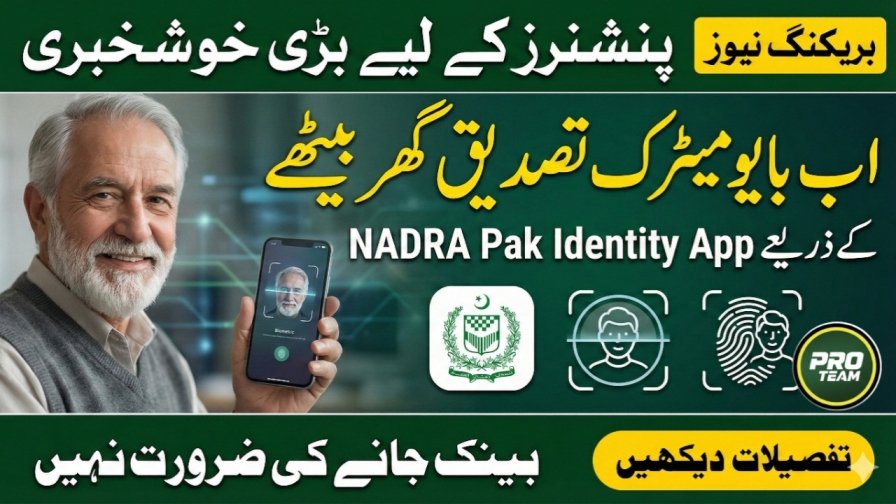
Pensioners in Pakistan now have a convenient way to complete their “Proof of Life” verification without standing in long bank lines or making repeated trips. With the Pak Identity mobile app from NADRA, pensioners can now verify their biometric information from the comfort of their homes. This new digital facility ensures that pensions continue uninterrupted while saving time and effort.
| Step | Action | Description |
|---|---|---|
| 1 | Download the App | Download the NADRA Pak Identity app on your smartphone and log in |
| 2 | Select Option | Open the app and click on the Proof of Life option |
| 3 | Enter CNIC | Type your valid CNIC number without dashes |
| 4 | Face Verification | Use the mobile camera to verify your face |
| 5 | Fingerprint Scan | Scan your fingers in front of the mobile camera to complete verification |

Step-by-Step Guide for Home Biometric Verification
Follow these steps to complete your Proof of Life verification digitally:
- Download the App: First, download the NADRA Pak Identity mobile app on your smartphone and log in
- Select Option: Open the app and click on the Proof of Life option
- Enter CNIC: Type your valid CNIC number (Computerized National Identity Card) in the provided field
- Face Verification: Use your mobile camera to verify your face. Make sure your face is clearly visible and well-lit for accurate verification
- Fingerprint Scan: Finally, place your fingers in front of the mobile camera for biometric scanning. Complete the process to finalize your Proof of Life verification
| Benefit | Explanation |
|---|---|
| No Bank Visits | Pensioners no longer need to visit banks, saving them time and effort |
| Uninterrupted Pension | Pension payments continue without any delay after verification |
| Secure Verification | Biometric verification is processed securely via NADRA’s digital platform |
| User-Friendly | The Pak Identity app provides a simple, step-by-step interface |
| Accessible Anytime | Verification can be done at the pensioner’s convenience |

Benefits of Home Biometric Verification
This new facility offers multiple benefits to pensioners:
- No Bank Visits: Pensioners no longer need to visit banks, saving time and effort
- Uninterrupted Pension: Once the Proof of Life verification is complete, pensions will continue without any delay
- Secure Verification: The process uses NADRA’s secure digital platform, ensuring biometric data is safely processed
- User-Friendly: The Pak Identity app provides a simple interface, making it easy even for seniors
- Accessible Anytime: Pensioners can complete verification at their convenience without depending on bank schedules or office hours

Additional Notes
- This service is available for all pensioners registered with NADRA and receiving their pensions through recognized banks
- Ensure your smartphone camera is working properly and you have a stable internet connection for verification
- Follow the step-by-step instructions in the app carefully to avoid errors
- Share this information with friends, family members, and other seniors so everyone can benefit
Why This Initiative is Important
The introduction of home biometric verification is a significant step towards digital inclusion for senior citizens in Pakistan. Traditionally, pensioners had to visit banks multiple times a year to complete their Proof of Life verification, causing inconvenience, especially for elderly individuals or those in remote areas. With the Pak Identity app, pensioners can now complete this process securely from home, reducing stress and unnecessary travel.
This initiative aligns with Pakistan’s broader vision of digital governance, making government services accessible online. By digitizing the Proof of Life verification process, NADRA has simplified an essential procedure while ensuring pensions continue without interruption.
Tips for a Successful Verification
- Good Lighting: Perform face verification in a well-lit area to help the camera capture clear images
- Keep CNIC Ready: Enter your CNIC number correctly without dashes or spaces
- Stable Hand Position: Hold the phone steadily during fingerprint scanning for accurate recognition
- Update App Regularly: Ensure your Pak Identity app is updated to the latest version for smooth functioning
- Seek Assistance if Needed: Contact NADRA support or ask a family member to guide you if you face issues
Ramzan Negahban Helpline & Complaint Registration
If you believe you are eligible but have not received an SMS, or face issues collecting your ATM card, you can register a complaint using the following methods:
- Helpline Number: Call the official Punjab Government helpline at 0800-02345 for immediate assistance
- Tehsil Office: Visit the designated complaint desk at your local Assistant Commissioner (AC) office
- CM Portal: Submit a complaint online through the “Maryam Ki Dastak” app or the CM Punjab web portal
- Bank Issues: For ATM card errors or PIN issues, contact the Bank of Punjab (BOP) representative at the center immediately
Conclusion
The home biometric verification feature in the Pak Identity app is a game-changer for pensioners in Pakistan. It saves time, reduces stress, and ensures that pension payments continue without interruption. With simple steps and a secure digital platform, seniors can now complete their Proof of Life verification from the comfort of their homes. Share this information with friends, family, and fellow pensioners so that everyone can benefit from this innovative digital solution.
Latest Updates
 Current News: BISP 8171 Payments Final Phase Begins Details for Beneficiaries 2026
 Big Update: Apni Chat Apna Rozgar Online Apply 2026 – Complete Guide for Punjab Youth & Entrepreneurs
 Current News: pmrrp.nitb.gov.pk Check Online – Prime Minister Ramzan Relief Package 2026 Complete Guide
 Big News: Ramzan Negahban Card 2026 Online Registration Through PSER for Rs 10,000 Cash
 Gold price in Pakistan today
 BOP Solar Panels Registration Process 2026: New Way Guide